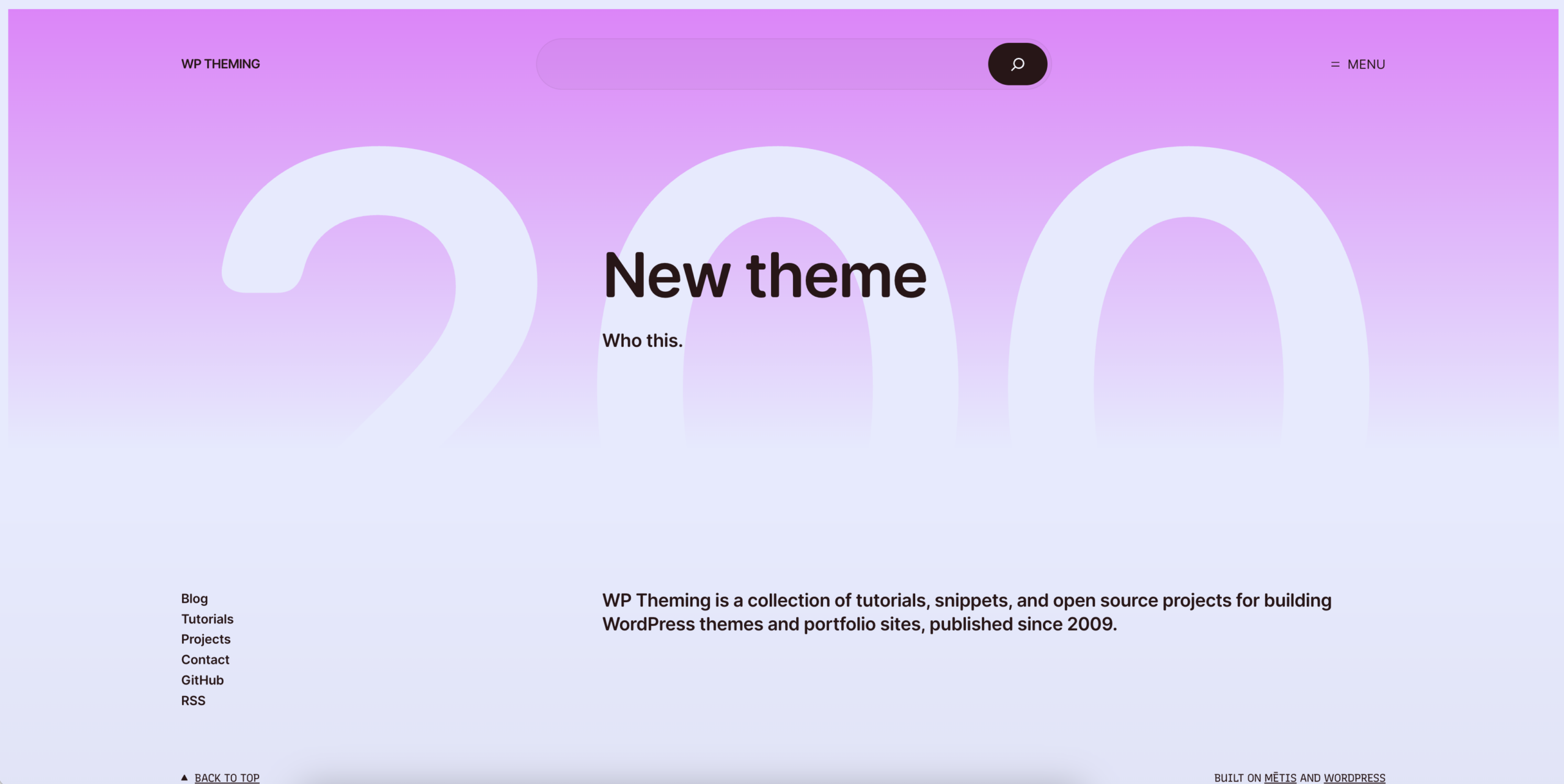
I haven’t posted here in five years. The last post was about rebuilding a WordPress theme in phases, and the theme on this site was one I built in 2014.
I still work on WordPress a lot. Universal Yums runs on WooCommerce. But I never adopted the site editor. When I was building themes, I wrote everything by hand: the templates, the PHP, the CSS. I never felt like I needed to move to block themes.
These days I haven’t opened a code editor in about a year. All of my work is directing agents, and for most work right now, that’s what we should be doing.
So when I saw The Repository’s post about Mētis, the new flagship WordPress theme, I pulled this site down locally and asked Claude to set it up.
What is Mētis?
Mētis is a block theme from Automattic. It started as a direction for the next default theme, but WordPress went with a blank-canvas theme called Ipsum for that instead. Mētis is now the flagship theme.
It comes with six starter sites (Magazine, News, Personal, Portfolio, Writer and Business) built from one library of around 80 patterns. It also has six style variations and a dark mode switch. It requires WordPress 7.1, and for now it’s on GitHub rather than in the theme directory.
How the refresh went
I asked Claude to set the theme up in a way that made sense for this site. It went through the archive, saw that most posts are tutorials without featured images, and built a text-first home page: the newest post, recent posts, the most-commented posts from the archive, categories, and the old open source projects.
Then I asked what other color palettes there were. It rendered the home page in all six style variations so I could compare them. I tried Ithaca, then Ogygia, then Aeolia, and ended up with Aeolia’s colors and the default fonts. Each change took about a minute.
It also fixed things I hadn’t noticed. A dozen older tutorials were printing raw [gist] shortcodes because the plugin that rendered them was long gone. It pulled each gist from GitHub, used the same line ranges, and replaced the shortcodes with code blocks.
All of the changes are in a small child theme in a git repo. The color palette is a theme.json file with just the colors:
{
	"version": 3,
	"settings": {
		"color": {
			"palette": [
				{ "slug": "theme-1", "color": "#E6EAFF", "name": "Mist" },
				{ "slug": "theme-2", "color": "#2A1517", "name": "Wine" }
			]
		}
	}
}
Why I skipped the site editor
When I started using WordPress, you could put together a nice site really quickly. Pick an off-the-shelf theme, set up a few pages, and you could launch a client site in a day.
The problem was customization. If a client wanted something the theme didn’t do, they needed a developer.
The block editor and the site editor were supposed to fix that, so anyone could build their own site. But I found the interface complicated, even as a developer. Finding the right setting, setting up patterns, and getting things to look the way I wanted was still easier in code.
Just ask for it
Now I don’t need an interface for colors and fonts. I send a quick prompt to try something out, and it just works.
That works best when the theme is well structured. At work I’ve been building internal apps with AI that save us a lot of time and get our processes out of spreadsheets. They all use shadcn/ui. Because it’s well documented, with consistent components and a design system that fits together, it’s much easier to get an interface that looks good.
Mētis is set up the same way. Colors, font sizes and spacing are named presets in theme.json. Patterns have names and descriptions. A style variation is a single JSON file. That’s why changing the palette took a minute.
If WordPress keeps going in this direction, with flagship themes that have good defaults and well-documented patterns that AI can put together into the site you want, I think that’s a good path. A few things would help:
- Give every pattern a name and a description, like Mētis does. That’s how an agent knows which pattern is the text-only post list.
- Keep design decisions in presets. Changing a preset is one edit. Changing a one-off style in a template means finding it first.
- Make child themes work without workarounds. Changes in files can be versioned, reviewed and deployed. Changes saved in the database are harder to track.
- Include a short doc in the theme that explains how it fits together, for the agent as much as the developer.
Would I still pick WordPress?
If I were building a brochure site today, I probably wouldn’t use WordPress. I’d build a static site and put it on Cloudflare. No database, no server to maintain, and far fewer security concerns.
For a site that’s mostly writing, I’m less sure. A database is still nice to have compared to a folder of Markdown files that get published somehow. I’d probably still go static with Markdown, but I could see it going either way.